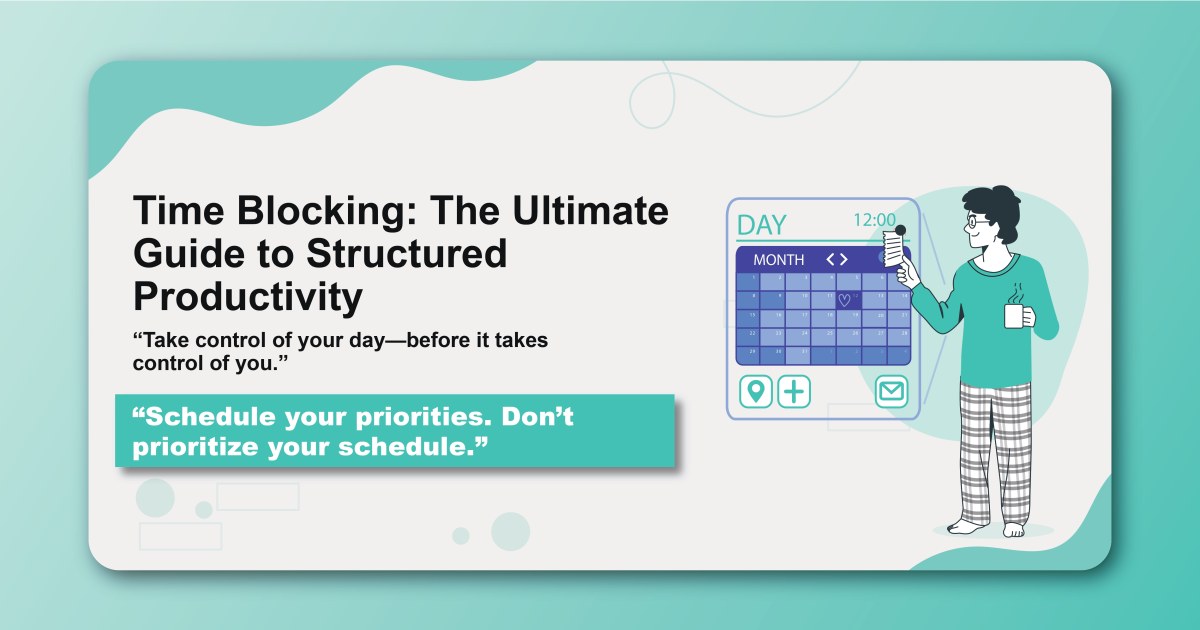
Time blocking is more than just a scheduling technique—it's a fundamental shift in how you approach your day, your priorities, and your relationship with time itself. Unlike traditional to-do lists that leave you wondering when things will get done, time blocking assigns specific time slots to every important task, creating a visual roadmap for your day.
What is Time Blocking?
Time blocking is the practice of dedicating specific blocks of time to particular activities, treating your calendar as the primary tool for productivity management. Instead of maintaining a separate to-do list, you schedule tasks directly into your calendar, creating dedicated time slots for different types of work.
Core Components of Time Blocking:
- Dedicated Time Slots: Specific periods assigned to particular activities
- Visual Calendar Management: Using your calendar as the primary productivity tool
- Intentional Scheduling: Proactively deciding when tasks will be completed
- Focus Protection: Creating barriers against interruptions and distractions
The Science Behind Time Blocking
Cognitive Load Reduction
Research in cognitive psychology shows that decision fatigue significantly impacts our productivity throughout the day. Time blocking reduces this cognitive load by pre-determining when you'll work on specific tasks, eliminating the constant decision-making about what to do next.
Context Switching Costs
Studies by Dr. Sophie Leroy demonstrate that switching between tasks creates "attention residue"—part of your attention remains stuck on the previous task. Time blocking minimizes these switches by grouping similar activities together and creating dedicated periods for different types of work.
Parkinson's Law in Action
Time blocking leverages Parkinson's Law, which states that work expands to fill the time allocated to it. By assigning specific time limits to tasks, you create natural constraints that encourage efficiency and focus.
Types of Time Blocks
Deep Work Blocks
Purpose: Focused, cognitively demanding work that requires sustained attention.
Characteristics:
- Typically 2-4 hours in length
- Scheduled during peak energy hours
- Protected from interruptions
- Single-task focused
Best For:
- Writing and content creation
- Complex problem-solving
- Strategic planning
- Learning new skills
Shallow Work Blocks
Purpose: Administrative tasks that don't require deep cognitive engagement.
Characteristics:
- Usually 30-90 minutes
- Can be scheduled during lower energy periods
- May allow for some multitasking
- Often routine-based
Best For:
- Email processing
- Data entry
- Scheduling meetings
- File organization
Communication Blocks
Purpose: Dedicated time for all forms of communication and collaboration.
Characteristics:
- Scheduled at regular intervals
- Batch similar communications together
- Protected from other work types
- May include buffer time for responses
Best For:
- Email and messaging
- Phone calls
- Video meetings
- Social media management
Buffer Blocks
Purpose: Flexible time slots that accommodate unexpected tasks or overruns.
Characteristics:
- Shorter durations (15-30 minutes)
- Strategically placed between major blocks
- Can be used for quick tasks or breaks
- Provide schedule flexibility
The Time Blocking Process
Step 1: Time Audit
Before implementing time blocking, conduct a thorough audit of how you currently spend your time.
Week-Long Time Tracking:
- Record activities in 15-minute intervals
- Note energy levels throughout the day
- Identify patterns and peak performance times
- Document frequent interruptions and distractions
Analysis Questions:
- When do you feel most mentally sharp?
- What activities consume more time than expected?
- When do most interruptions occur?
- What tasks do you consistently avoid or postpone?
Step 2: Task Categorization
Organize your tasks into categories that align with your time blocking strategy.
Common Categories:
- Deep Work: High-cognitive tasks requiring sustained focus
- Administrative: Routine tasks with low cognitive demands
- Communication: Meetings, emails, and collaborative work
- Learning: Skill development and knowledge acquisition
- Personal: Non-work activities that support overall well-being
Step 3: Calendar Design
Create a master template that reflects your ideal time allocation.
Template Elements:
- Core Work Hours: Primary productive periods
- Deep Work Windows: Protected time for focused work
- Communication Slots: Designated times for meetings and emails
- Buffer Periods: Flexible time for unexpected needs
- Personal Time: Non-negotiable time for health and relationships
Step 4: Weekly Planning
Every week, adapt your master template to specific priorities and commitments.
Weekly Planning Process:
- Review upcoming deadlines and commitments
- Assign specific tasks to appropriate time blocks
- Adjust block sizes based on task complexity
- Schedule buffer time around important blocks
- Plan for potential interruptions or changes
Step 5: Daily Execution
Execute your time blocks with discipline while maintaining flexibility for necessary adjustments.
Daily Execution Tips:
- Start each day by reviewing your schedule
- Set specific intentions for each block
- Use timers to maintain awareness of time limits
- Document lessons learned for future planning
Advanced Time Blocking Strategies
Theme Days
Assign specific days to particular types of work or focus areas.
Example Theme Day Structure:
- Monday: Strategic planning and goal setting
- Tuesday: Deep work and content creation
- Wednesday: Meetings and collaboration
- Thursday: Administrative tasks and email
- Friday: Learning and skill development
Time Block Stacking
Combine related activities within single blocks to maximize efficiency.
Example Stacking Sequences:
- Reading → Note-taking → Article writing
- Email review → Response drafting → Follow-up scheduling
- Data collection → Analysis → Report writing
Energy-Based Scheduling
Align different types of work with your natural energy patterns.
Energy Optimization Strategy:
- Schedule creative work during peak energy hours
- Batch routine tasks during moderate energy periods
- Reserve low-energy times for planning and reflection
- Use energy dips for breaks and restoration
Flexible Block Sizing
Adjust block durations based on task complexity and your capacity.
Dynamic Block Sizing:
- Micro-blocks: 15-30 minutes for quick tasks
- Standard blocks: 45-90 minutes for most activities
- Extended blocks: 2-4 hours for complex projects
- Marathon blocks: Half or full days for intensive work
Common Time Blocking Mistakes
Over-Scheduling
The Problem: Filling every minute with scheduled activities, leaving no room for spontaneity or unexpected needs.
The Solution:
- Schedule only 70-80% of your available time
- Include buffer blocks throughout the day
- Reserve time for unexpected opportunities
- Build in transition time between blocks
Neglecting Personal Needs
The Problem: Focusing solely on work-related activities while ignoring personal well-being.
The Solution:
- Schedule time for meals, exercise, and rest
- Include personal development activities
- Protect time for relationships and hobbies
- Treat personal time as non-negotiable
Ignoring Natural Rhythms
The Problem: Scheduling demanding tasks during low-energy periods or routine work during peak hours.
The Solution:
- Track your energy patterns for several weeks
- Schedule your most important work during peak energy
- Use low-energy periods for routine tasks
- Adjust your schedule based on natural rhythms
Perfectionist Planning
The Problem: Spending excessive time creating the perfect schedule instead of executing tasks.
The Solution:
- Use simple planning tools and methods
- Focus on good enough rather than perfect
- Spend more time doing than planning
- Iterate and improve your system over time
Time Blocking Tools and Technology
Digital Calendar Systems
Google Calendar:
- Color-coding for different block types
- Multiple calendar overlay capabilities
- Mobile sync for on-the-go access
- Integration with other productivity tools
Outlook Calendar:
- Robust scheduling features
- Email integration
- Team calendar sharing
- Advanced reminder systems
Apple Calendar:
- Seamless integration with iOS ecosystem
- Natural language event creation
- Location-based reminders
- Siri integration for hands-free scheduling
Specialized Time Blocking Apps
Clockify:
- Time tracking with calendar integration
- Project-based time blocking
- Detailed reporting and analytics
- Team collaboration features
RescueTime:
- Automatic time tracking
- Productivity scoring
- Distraction blocking
- Goal setting and monitoring
Forest:
- Gamified focus sessions
- Distraction blocking
- Visual progress tracking
- Social accountability features
Analog Methods
Paper Planning:
- Bullet journaling with time blocks
- Weekly planning sheets
- Monthly calendar overviews
- Habit tracking integration
Whiteboard Scheduling:
- Visual weekly planning
- Easy adjustments and modifications
- Collaborative team planning
- Large-scale project visualization
Measuring Time Blocking Success
Quantitative Metrics
Time Utilization:
- Percentage of planned time actually used productively
- Ratio of deep work to shallow work
- Number of completed time blocks per day
- Average time per task category
Productivity Indicators:
- Tasks completed per time block
- Goal achievement rates
- Project completion times
- Quality metrics for completed work
Qualitative Assessments
Satisfaction Surveys:
- Daily energy levels
- Sense of accomplishment
- Stress and anxiety levels
- Work-life balance satisfaction
Reflection Questions:
- What types of blocks are most effective for you?
- When do you feel most productive and focused?
- What adjustments improve your system?
- How has time blocking affected your overall well-being?
Integration with Other Productivity Systems
Getting Things Done (GTD)
Combine time blocking with GTD by:
- Using time blocks for weekly reviews
- Scheduling specific times for inbox processing
- Blocking time for project planning
- Creating blocks for different GTD contexts
Pomodoro Technique
Integrate Pomodoro within time blocks:
- Use 25-minute Pomodoros within longer blocks
- Schedule breaks between Pomodoro sessions
- Adapt block lengths to multiples of Pomodoro cycles
- Track both block completion and Pomodoro counts
Task Batching
Enhance time blocking with batching:
- Group similar tasks within single blocks
- Create themed blocks for related activities
- Batch communications into specific time slots
- Minimize context switching within blocks
Overcoming Time Blocking Challenges
Interruption Management
Strategy 1: Communication Boundaries
- Communicate your time blocks to colleagues
- Set clear availability windows
- Use "do not disturb" signals
- Train others to respect your focused time
Strategy 2: Interruption Logging
- Track interruptions and their sources
- Identify patterns and common causes
- Develop strategies for recurring interruptions
- Create systems to minimize future disruptions
Schedule Flexibility
Strategy 1: Built-in Adaptation
- Schedule buffer time for adjustments
- Create flexible blocks that can be moved
- Maintain backup plans for different scenarios
- Focus on priorities rather than rigid schedules
Strategy 2: Emergency Protocols
- Develop systems for handling urgent tasks
- Create "emergency" time blocks for unexpected needs
- Establish criteria for schedule changes
- Maintain minimum viable schedules for busy periods
Motivation and Consistency
Strategy 1: Habit Formation
- Start with small, manageable time blocks
- Link time blocking to existing habits
- Create reward systems for consistent execution
- Track progress and celebrate successes
Strategy 2: System Evolution
- Regularly review and adjust your approach
- Experiment with different block structures
- Seek feedback from others using similar systems
- Continuously improve based on results
The Future of Your Time
Time blocking represents a fundamental shift from reactive to proactive time management. By taking control of your schedule and intentionally designing your days, you create space for what matters most while maintaining the flexibility to handle life's unexpected demands.
The key to successful time blocking isn't finding the perfect system—it's developing a approach that works with your unique needs, preferences, and circumstances. Start small, experiment with different approaches, and gradually build a time blocking practice that enhances rather than constrains your productivity.
Remember that time blocking is a tool, not a master. The goal is to create more meaningful work, better focus, and greater satisfaction with how you spend your most precious resource: time.
Ready to transform your relationship with time? Start building your time blocking system with Habityzer and discover how structured scheduling can unlock your most productive self.