Your phone buzzes. A notification pops up on your computer. An email arrives. A message appears on Slack. Another notification. And another.
By 10 AM, you've already been interrupted dozens of times, and you haven't even started your most important work yet. You feel busy, but not productive. Connected, but not focused. Informed, but not empowered.
Welcome to the modern digital dilemma: technology that promises to make us more productive often makes us more distracted instead.
But what if the solution isn't to abandon technology entirely? What if it's to use technology more intentionally?
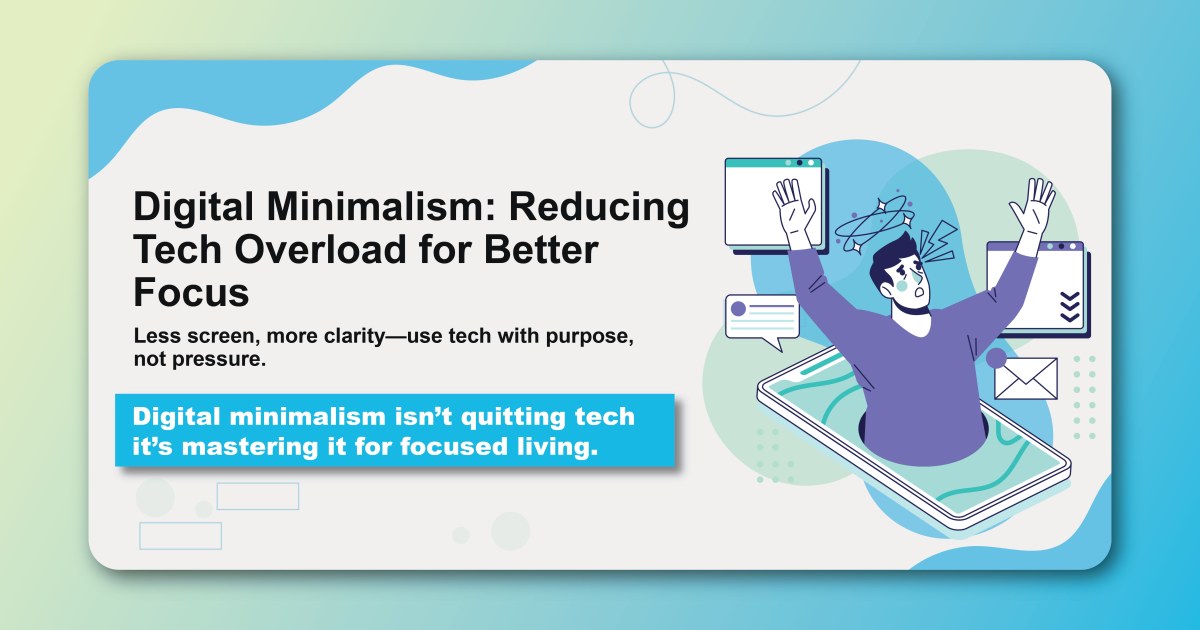
Digital minimalism isn't about going back to the stone age or rejecting useful tools. It's about creating a more intentional relationship with technology—one where you use digital tools to enhance your life rather than letting them control it.
This approach recognizes that not all technology is created equal. Some tools genuinely improve your productivity, creativity, and well-being. Others are designed to capture your attention and keep you scrolling, clicking, and consuming indefinitely.
The goal is to distinguish between these two categories and design your digital environment to support your values and goals rather than undermine them.
Understanding Digital Overload
The Attention Economy
How Your Attention Became a Product Tech companies generate revenue by selling your attention to advertisers. The longer you stay engaged, the more money they make. This creates a fundamental misalignment between your interests (focus, productivity, well-being) and theirs (engagement, time-on-platform, data collection).
The Infinite Scroll Problem Many digital platforms are designed to be addictive. Features like infinite scroll, variable reward schedules, and push notifications exploit the same psychological mechanisms that make gambling addictive.
The Switching Cost Every time you switch between apps, websites, or digital tasks, your brain pays a "switching cost." It takes time and mental energy to refocus, and these costs accumulate throughout the day.
The Hidden Costs of Digital Overload
Cognitive Costs
- Reduced ability to focus deeply
- Increased mental fatigue
- Impaired memory and learning
- Decreased creativity and problem-solving ability
Emotional Costs
- Increased anxiety and stress
- FOMO (fear of missing out)
- Reduced life satisfaction
- Impaired relationships
Physical Costs
- Eye strain and vision problems
- Poor posture and neck pain
- Disrupted sleep patterns
- Reduced physical activity
Productivity Costs
- Constant task switching
- Difficulty completing deep work
- Procrastination and avoidance
- Reduced work quality
The Philosophy of Digital Minimalism
Core Principles
Principle 1: Intentional Technology Use Every digital tool should serve a clear purpose that aligns with your values and goals. If you can't articulate why you use a particular app or service, it might be time to reconsider.
Principle 2: Quality Over Quantity It's better to use a few high-quality tools effectively than to juggle many mediocre ones. Focus on tools that provide significant value and eliminate those that don't.
Principle 3: Attention as a Finite Resource Your attention is limited and valuable. Protect it by being selective about what you allow into your digital environment.
Principle 4: Technology as a Tool, Not Entertainment Distinguish between tools that help you accomplish meaningful work and those that serve primarily as entertainment or distraction.
The Minimalist Mindset
From Consumption to Creation Shift from being a passive consumer of digital content to being an active creator. Use technology to build, learn, and contribute rather than just consume.
From Reactive to Proactive Instead of responding to every notification immediately, choose when and how to engage with digital tools. Take control of your digital environment rather than letting it control you.
From Busy to Productive Focus on outcomes rather than activity. The goal isn't to be constantly busy online but to accomplish meaningful work efficiently.
Practical Digital Minimalism Strategies
Strategy 1: The Digital Declutter
Phase 1: Audit Your Digital Life
- List all apps on your devices
- Review your subscriptions and accounts
- Track your screen time for a week
- Identify which tools add value vs. create distraction
Phase 2: The 30-Day Digital Detox
- Remove all non-essential apps from your devices
- Unsubscribe from unnecessary newsletters and notifications
- Log out of social media accounts
- Use only essential communication tools
Phase 3: Intentional Reintroduction
- After 30 days, reintroduce tools one at a time
- Only add back tools that serve a clear purpose
- Set specific rules for how you'll use each tool
- Monitor how each tool affects your focus and well-being
Strategy 2: Notification Management
The Zero-Notification Goal Start with the assumption that no app deserves to interrupt you, then selectively enable notifications only for truly urgent communications.
Notification Hierarchy
- Immediate: True emergencies (family, health, safety)
- Batched: Work communications (check 2-3 times daily)
- Scheduled: Social media, news, entertainment (specific times only)
- Disabled: Everything else
Platform-Specific Settings
- Turn off all non-essential push notifications
- Use "Do Not Disturb" modes during focused work
- Set specific hours for checking messages
- Use email filters to reduce inbox noise
Strategy 3: Digital Boundaries
Time Boundaries
- Designate phone-free times (meals, bedtime, first hour of morning)
- Set specific hours for checking email and social media
- Use app timers to limit usage
- Create tech-free zones in your home
Spatial Boundaries
- Keep work and personal devices separate
- Charge devices outside the bedroom
- Create dedicated spaces for different types of digital work
- Use physical barriers to reduce easy access
Mental Boundaries
- Practice single-tasking instead of multitasking
- Use the "one-tab rule" for web browsing
- Close unnecessary applications during focused work
- Set clear start and stop times for digital activities
Strategy 4: Mindful Technology Use
The Pause Practice Before opening any app or website, pause and ask:
- What am I trying to accomplish?
- Is this the best tool for this purpose?
- How will I know when I'm done?
- What will I do next?
Intentional Consumption
- Choose high-quality content over high-quantity content
- Subscribe to curated newsletters instead of browsing feeds
- Follow thought leaders rather than entertainment accounts
- Set specific learning goals for digital consumption
Regular Review
- Weekly: Review your digital habits and adjust as needed
- Monthly: Assess whether your tools still serve your goals
- Quarterly: Conduct a mini digital declutter
- Annually: Completely reassess your digital environment
Building Your Minimalist Tech Stack
Essential Categories
Communication Tools
- Email: One primary account with aggressive filtering
- Messaging: One primary platform for urgent communication
- Video calls: One reliable platform for meetings
- Phone: For truly urgent or complex conversations
Productivity Tools
- Task management: One system for tracking all commitments
- Note-taking: One platform for all information capture
- Calendar: One system for time management
- File storage: One cloud solution for document management
Learning and Development
- Reading: One platform for articles and books
- Skill development: One or two high-quality learning platforms
- News: One curated source for essential information
- Professional development: LinkedIn or industry-specific platforms
Creation Tools
- Writing: One distraction-free writing environment
- Design: Essential tools for your creative work
- Code: Minimal, focused development environment
- Content creation: Only tools that directly support your goals
Tool Selection Criteria
Evaluation Questions
- Does this tool solve a specific problem I have?
- Does it integrate well with my existing workflow?
- Is it reliable and well-maintained?
- Does it respect my privacy and attention?
- Can I accomplish the same goal with existing tools?
Quality Indicators
- Minimal interface with few distractions
- Offline capability when possible
- Strong privacy protections
- Reasonable pricing without dark patterns
- Active development and support
Implementation Strategy
Start Small
- Begin with one category (e.g., communication)
- Choose one tool and use it consistently for 30 days
- Only add the next tool after mastering the current one
- Resist the urge to try every new tool that appears
Integration Focus
- Look for tools that work well together
- Minimize the number of different platforms
- Use automation to connect tools when beneficial
- Maintain consistency across your digital environment
Advanced Digital Minimalism Techniques
The Analog Alternative
Digital-to-Analog Swaps
- Use a physical notebook for brainstorming
- Read physical books instead of digital ones
- Use a wall calendar for long-term planning
- Keep important contacts on paper
Benefits of Analog Tools
- No notifications or distractions
- Better for deep thinking and creativity
- Reduced eye strain
- More memorable and personal
Batch Processing
Communication Batching
- Check email 2-3 times daily at set times
- Process all messages in one session
- Use templates for common responses
- Set auto-responders to manage expectations
Information Batching
- Read news once daily at a specific time
- Batch social media checking
- Process all administrative tasks together
- Group similar digital activities
The Smartphone Minimalism
Essential Apps Only
- Keep only apps you use weekly
- Remove social media apps (use web versions if needed)
- Minimize games and entertainment apps
- Use built-in apps when possible
Interface Optimization
- Use grayscale mode to reduce visual appeal
- Remove apps from home screen
- Turn off app badges and notifications
- Use text-based interfaces when available
Common Challenges and Solutions
Challenge 1: FOMO (Fear of Missing Out)
The Problem: Worry that reducing digital consumption will cause you to miss important information or opportunities.
The Solution:
- Define what "important" actually means to you
- Set up systems to catch truly essential information
- Focus on depth over breadth in your interests
- Trust that valuable information will find its way to you
Challenge 2: Social and Professional Pressure
The Problem: Others expect immediate responses and constant availability.
The Solution:
- Communicate your boundaries clearly
- Set realistic expectations for response times
- Use out-of-office messages and auto-responders
- Focus on quality of interaction over quantity
Challenge 3: Habit and Addiction
The Problem: Deeply ingrained habits of constant checking and scrolling.
The Solution:
- Replace digital habits with analog alternatives
- Use app blockers during focused work time
- Change your physical environment to reduce triggers
- Practice mindfulness to become aware of automatic behaviors
Challenge 4: Work Requirements
The Problem: Job requirements that seem to demand constant connectivity.
The Solution:
- Distinguish between actual requirements and perceived expectations
- Negotiate boundaries with supervisors and colleagues
- Use technology to create more efficient workflows
- Demonstrate that focused work produces better results
Measuring Success
Quantitative Metrics
Screen Time Reduction
- Track weekly screen time across devices
- Monitor specific app usage
- Measure time spent in focused work
- Count daily notification interruptions
Productivity Improvements
- Tasks completed per day
- Quality of work output
- Time to complete similar tasks
- Progress on important projects
Qualitative Improvements
Mental and Emotional Well-being
- Reduced anxiety and stress
- Improved sleep quality
- Better relationships
- Increased life satisfaction
Cognitive Benefits
- Longer periods of sustained focus
- Enhanced creativity
- Better memory and learning
- Improved problem-solving ability
Your Digital Minimalism Action Plan
Week 1: Assessment
- Track your current digital habits
- Identify your biggest sources of distraction
- Audit all apps, accounts, and subscriptions
- Define your values and goals for technology use
Week 2: Declutter
- Remove non-essential apps from all devices
- Unsubscribe from unnecessary newsletters
- Turn off non-essential notifications
- Clean up your digital files and folders
Week 3: Boundaries
- Establish phone-free times and zones
- Create focused work environments
- Set specific times for checking messages
- Practice the pause before opening apps
Week 4: Optimization
- Evaluate remaining tools for effectiveness
- Implement batch processing for communications
- Create templates and systems for efficiency
- Plan for long-term maintenance of your minimalist approach
The goal of digital minimalism isn't to use less technology—it's to use technology more intentionally. When you eliminate digital distractions and focus on tools that truly serve your goals, you don't just become more productive. You become more creative, more focused, and more satisfied with your work and life.
Your attention is your most valuable resource. Protect it, direct it intentionally, and watch as your ability to focus deeply and accomplish meaningful work transforms.
Ready to take control of your digital environment and enhance your focus? Build intentional technology habits with Habityzer and create a digital minimalism practice that supports your goals and values.