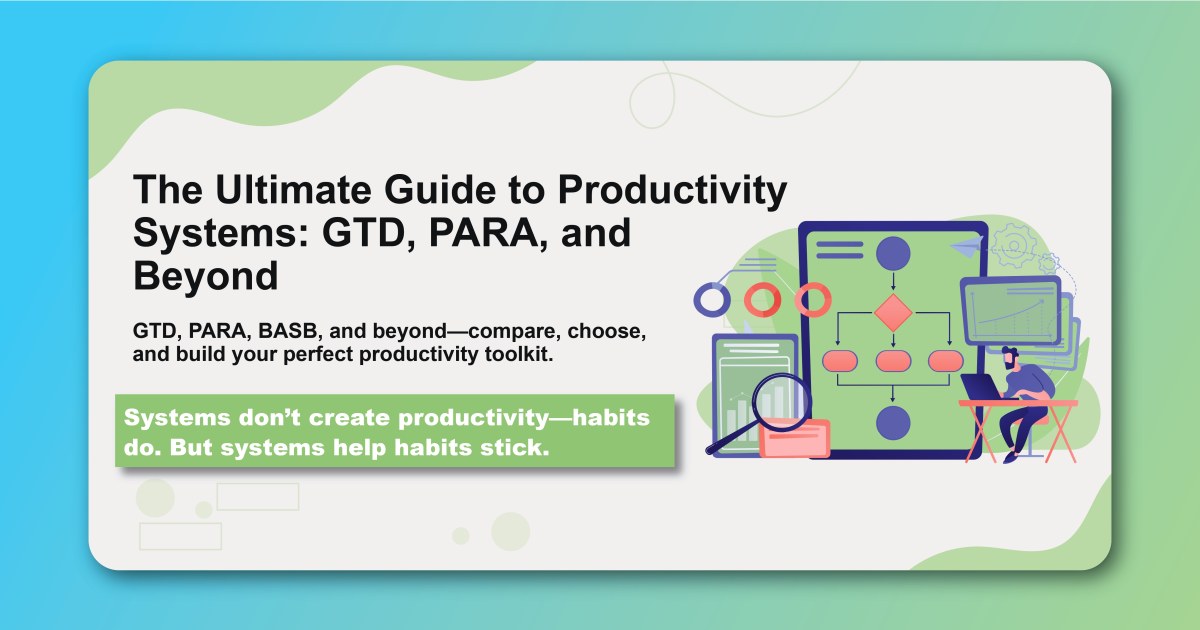
In today's information-rich world, having a reliable productivity system isn't just helpful—it's essential. With countless tasks, projects, and ideas competing for your attention, the right system can mean the difference between feeling overwhelmed and feeling in control.
But with so many productivity systems available, how do you choose the right one? In this comprehensive guide, we'll explore the most popular and effective productivity systems, from the foundational Getting Things Done (GTD) to modern approaches like PARA and Building a Second Brain.
You'll learn how each system works, their strengths and weaknesses, and most importantly, how to choose and implement the system that best fits your unique needs and workflow.
Why You Need a Productivity System
The Problem with Ad-Hoc Productivity
Most people approach productivity reactively:
- They respond to whatever seems urgent
- They rely on memory to track important tasks
- They switch between multiple, incompatible tools
- They feel constantly overwhelmed by their workload
This reactive approach leads to:
- Stress and anxiety from forgotten tasks
- Inefficiency from constantly switching contexts
- Missed opportunities due to poor prioritization
- Burnout from feeling perpetually behind
The Benefits of a Systematic Approach
A well-designed productivity system provides:
- Mental clarity: Your mind is freed from remembering everything
- Consistent workflow: Predictable processes for handling tasks
- Better prioritization: Clear frameworks for deciding what matters
- Reduced stress: Confidence that nothing important is forgotten
- Increased focus: Ability to concentrate on current priorities
The Foundation: Getting Things Done (GTD)
Overview
Created by David Allen and popularized in his 2001 book "Getting Things Done," GTD is the grandfather of modern productivity systems. It's built on the principle that your mind is for having ideas, not storing them.
Core Components
The Five Stages of GTD:
- Capture: Collect everything that demands your attention
- Clarify: Process what each item means and what action is required
- Organize: Sort items into appropriate categories and lists
- Reflect: Review your system regularly to stay current
- Engage: Take action with confidence and focus
The Key Lists:
- Inbox: Temporary holding for unprocessed items
- Next Actions: Specific actions you can take immediately
- Projects: Outcomes requiring more than one action
- Waiting For: Items you're waiting for others to complete
- Someday/Maybe: Items you might want to do later
The GTD Workflow
Daily Process:
- Capture all inputs in your inbox
- Clarify each item: Is it actionable?
- Organize actionable items into appropriate lists
- Reflect on your lists and calendar
- Engage with your chosen actions
Weekly Review:
- Process all inboxes to empty
- Review next actions and projects
- Update waiting-for items
- Review someday/maybe list
- Plan the upcoming week
Strengths of GTD
Comprehensive System:
- Handles all types of inputs and commitments
- Scalable from personal to professional use
- Time-tested and refined over decades
- Extensive community and resources
Mental Benefits:
- Reduces mental load through external capture
- Provides clear decision-making frameworks
- Builds trust in your system over time
- Creates sustainable productivity habits
Weaknesses of GTD
Complexity:
- Steep learning curve for beginners
- Requires significant setup time
- Can feel overwhelming initially
- Maintenance-heavy system
Limited Prioritization:
- Doesn't inherently prioritize tasks
- Relies on context and energy for selection
- May lead to busy work over important work
- Requires additional frameworks for strategic thinking
Best For
GTD works best for:
- Knowledge workers with varied responsibilities
- People who feel overwhelmed by multiple commitments
- Those who prefer comprehensive systems
- Individuals comfortable with detailed processes
The Modern Alternative: PARA Method
Overview
Created by Tiago Forte, PARA (Projects, Areas, Resources, Archives) is designed for the digital age. It focuses on actionability and works seamlessly with modern productivity tools.
Core Components
The Four Categories:
- Projects: Things with a deadline and specific outcome
- Areas: Standards to maintain over time
- Resources: Topics of ongoing interest
- Archives: Inactive items from the other three categories
The Actionability Principle:
- High actionability: Projects (active work)
- Medium actionability: Areas (ongoing maintenance)
- Low actionability: Resources (future reference)
- No actionability: Archives (completed or inactive)
The PARA Workflow
Organization:
- Create four main folders in your digital tools
- Sort all information into these categories
- Use consistent naming conventions
- Maintain the system through regular reviews
Processing:
- Capture information in a central inbox
- Assess the actionability level
- Sort into the appropriate PARA category
- Connect related items across categories
- Act on high-actionability items first
Strengths of PARA
Simplicity:
- Only four categories to remember
- Clear decision-making criteria
- Quick to set up and maintain
- Easy to explain to others
Digital-First:
- Designed for modern tools and workflows
- Works across different platforms
- Scales with digital information overload
- Integrates with note-taking and PKM systems
Weaknesses of PARA
Limited Scope:
- Focuses mainly on information organization
- Doesn't provide detailed workflow processes
- May need supplementation with other methods
- Less guidance on execution and habits
Oversimplification:
- Four categories may not fit all use cases
- Boundaries between categories can be unclear
- May lack nuance for complex workflows
- Requires adaptation for specific needs
Best For
PARA works best for:
- Digital natives comfortable with technology
- Knowledge workers dealing with information overload
- People who prefer simple systems
- Those using modern productivity tools
Building a Second Brain (BASB)
Overview
Also created by Tiago Forte, BASB is a comprehensive methodology for creating a "second brain" using digital tools. It focuses on capturing, organizing, and creating with information.
Core Components
The CODE Method:
- Capture: Save valuable information
- Organize: Structure for actionability
- Distill: Extract key insights
- Express: Share your knowledge
Progressive Summarization:
- Layer 1: Original content
- Layer 2: Bold important passages
- Layer 3: Highlight most important bold sections
- Layer 4: Executive summary
- Layer 5: Personal commentary
The BASB Workflow
Information Capture:
- Save articles, quotes, and ideas
- Use consistent capture methods
- Tag with relevant keywords
- Link to related concepts
Knowledge Creation:
- Build on previous notes
- Create intermediate packets
- Share work in progress
- Develop personal knowledge base
Strengths of BASB
Creative Focus:
- Optimized for knowledge work and creativity
- Builds on existing information
- Encourages sharing and collaboration
- Develops personal expertise over time
Learning Integration:
- Turns consumption into creation
- Builds on spaced repetition principles
- Creates compound knowledge growth
- Develops unique perspectives
Weaknesses of BASB
Narrow Focus:
- Primarily for knowledge workers
- Limited task management capabilities
- Requires significant time investment
- May not suit all types of work
Complexity:
- Requires learning specific techniques
- Dependent on particular tools
- Time-intensive to maintain
- May create analysis paralysis
Best For
BASB works best for:
- Content creators and knowledge workers
- Researchers and analysts
- Consultants and advisors
- People who learn through writing
Time Blocking and Calendar-Based Systems
Overview
Time blocking involves scheduling specific time periods for different activities, treating your calendar as the primary productivity tool.
Core Components
Time Blocking Principles:
- Every minute has a purpose
- Similar tasks are batched together
- Deep work gets protected time
- Flexibility is built into the schedule
Types of Time Blocks:
- Deep work blocks: Focused, uninterrupted time
- Shallow work blocks: Administrative tasks
- Meeting blocks: Scheduled interactions
- Buffer blocks: Flexibility and transitions
The Time Blocking Workflow
Planning:
- Identify your priorities and commitments
- Estimate time required for each activity
- Schedule blocks on your calendar
- Protect your most important blocks
- Review and adjust regularly
Execution:
- Follow your schedule consistently
- Batch similar activities
- Minimize context switching
- Track time spent vs. planned
Strengths of Time Blocking
Realistic Planning:
- Forces realistic time estimates
- Prevents overcommitment
- Builds awareness of time usage
- Creates sustainable workflows
Deep Work Protection:
- Blocks time for important work
- Reduces interruptions
- Builds focus habits
- Increases productivity quality
Weaknesses of Time Blocking
Rigidity:
- Can feel restrictive and inflexible
- Difficult to handle unexpected events
- May not suit all personality types
- Requires significant discipline
Overhead:
- Time-intensive planning process
- Requires frequent adjustments
- May lead to over-scheduling
- Can create pressure and stress
Best For
Time blocking works best for:
- Executives and leaders
- Deep work practitioners
- People with predictable schedules
- Those who thrive with structure
The Bullet Journal Method
Overview
Created by Ryder Carroll, the Bullet Journal Method is an analog system that combines planning, tracking, and reflection in a single notebook.
Core Components
Key Symbols:
- • Tasks
- ○ Events
- — Notes
- ! Important
- ✓ Completed
Collections:
- Daily Log: Day-to-day tasks and events
- Monthly Log: Monthly overview and goals
- Future Log: Long-term planning
- Custom Collections: Specialized trackers and lists
The Bullet Journal Workflow
Daily Practice:
- Morning setup: Review the day ahead
- Rapid logging: Capture tasks, events, and notes
- Migration: Move incomplete tasks forward
- Evening review: Reflect on the day
- Weekly/monthly review: Assess progress and plan ahead
Monthly Setup:
- Review previous month
- Set up new monthly spread
- Migrate important items
- Plan goals and priorities
Strengths of Bullet Journal
Flexibility:
- Completely customizable system
- Adapts to changing needs
- Works for any lifestyle or profession
- Encourages creativity and personalization
Mindfulness:
- Promotes reflection and awareness
- Slows down the planning process
- Builds intentional habits
- Reduces digital overwhelm
Weaknesses of Bullet Journal
Time Intensive:
- Requires daily manual setup
- Time-consuming to maintain
- Not easily searchable
- Limited digital integration
Analog Limitations:
- Can't be backed up easily
- Difficult to share with others
- Limited space for detailed information
- May not suit digital-first workflows
Best For
Bullet Journal works best for:
- Creative individuals who enjoy customization
- People seeking digital detox
- Those who prefer handwriting
- Individuals who value reflection
Zen To Done (ZTD)
Overview
Created by Leo Babauta, ZTD simplifies GTD while maintaining its effectiveness. It focuses on building one habit at a time rather than implementing a complete system.
Core Components
The 10 Habits of ZTD:
- Collect: Capture everything
- Process: Make decisions quickly
- Plan: Set daily priorities
- Do: Focus on one task at a time
- Simple system: Keep it minimal
- Organize: Everything in its place
- Review: Weekly and daily reviews
- Simplify: Reduce commitments
- Routine: Establish consistent habits
- Find your passion: Do what you love
The ZTD Workflow
Habit Building:
- Focus on one habit at a time
- Practice for 30 days before adding another
- Start with the most impactful habits
- Build gradually over time
Daily Practice:
- Morning planning session
- Process inbox regularly
- Focus on most important tasks
- Evening review and preparation
Strengths of ZTD
Habit Focus:
- Builds sustainable productivity habits
- Reduces system complexity
- Focuses on gradual improvement
- Creates lasting behavior change
Simplicity:
- Easier to implement than GTD
- Flexible and adaptable
- Reduces overwhelm
- Sustainable long-term
Weaknesses of ZTD
Limited Scope:
- May not handle complex workflows
- Less comprehensive than GTD
- Requires supplementation for some users
- May lack detailed processes
Gradual Implementation:
- Slow to see full benefits
- Requires patience and persistence
- May not suit urgent needs
- Dependent on habit formation success
Best For
ZTD works best for:
- People overwhelmed by complex systems
- Habit-focused individuals
- Those who prefer gradual change
- Beginners to productivity systems
Comparing the Systems
System Comparison Matrix
| System | Complexity | Learning Curve | Flexibility | Digital Integration | Best For | |--------|------------|----------------|-------------|-------------------|----------| | GTD | High | Steep | High | Good | Comprehensive needs | | PARA | Low | Gentle | Medium | Excellent | Digital-first users | | BASB | Medium | Moderate | Medium | Excellent | Knowledge workers | | Time Blocking | Medium | Moderate | Low | Good | Structured schedules | | Bullet Journal | Low | Gentle | High | Poor | Analog preference | | ZTD | Low | Gentle | High | Good | Habit builders |
Choosing Your System
Consider Your:
- Work style: Structured vs. flexible
- Tool preference: Digital vs. analog
- Complexity tolerance: Simple vs. comprehensive
- Time availability: High vs. low maintenance
- Primary goals: Organization vs. creativity vs. efficiency
Questions to Ask:
- What are my biggest productivity challenges?
- How much time can I invest in setup and maintenance?
- Do I prefer digital or analog tools?
- How structured vs. flexible do I want to be?
- What has worked or failed for me in the past?
Hybrid Approaches
Combining Systems
Many productive people combine elements from different systems:
GTD + PARA:
- Use GTD workflow for processing
- Use PARA for information organization
- Combine task management with knowledge management
- Best of both comprehensive and simple approaches
Time Blocking + Bullet Journal:
- Use time blocking for planning
- Use bullet journal for daily tracking
- Combine structure with flexibility
- Balance digital and analog benefits
ZTD + BASB:
- Use ZTD for habit building
- Use BASB for knowledge creation
- Focus on sustainable growth
- Combine productivity with learning
Creating Your Own System
Elements to Consider:
- Capture method: How you collect inputs
- Processing workflow: How you decide on actions
- Organization structure: How you categorize information
- Review rhythm: How often you assess and adjust
- Execution framework: How you choose what to work on
Implementation Strategy:
- Start simple: Begin with basic capture and processing
- Add gradually: Introduce new elements over time
- Adapt continuously: Modify based on what works
- Stay flexible: Allow for changes as needs evolve
- Focus on habits: Build sustainable practices
Implementation Guide
Phase 1: Foundation (Weeks 1-2)
Choose Your System:
- Research and evaluate options
- Consider your specific needs and constraints
- Start with one primary system
- Gather necessary tools and resources
Set Up Basic Structure:
- Create fundamental categories or lists
- Set up your primary tools
- Establish basic capture methods
- Plan your review schedule
Phase 2: Skill Building (Weeks 3-8)
Develop Core Habits:
- Practice daily capture and processing
- Establish regular review routines
- Build muscle memory for key workflows
- Adjust and refine your approach
Address Challenges:
- Identify common obstacles
- Develop solutions and workarounds
- Seek support from communities or mentors
- Stay committed to the process
Phase 3: Optimization (Weeks 9-12)
Refine Your System:
- Eliminate unnecessary complexity
- Automate repetitive processes
- Integrate with other tools and workflows
- Personalize for your specific needs
Measure and Improve:
- Track key productivity metrics
- Assess system effectiveness
- Make data-driven adjustments
- Plan for long-term sustainability
Phase 4: Mastery (Ongoing)
Maintain and Evolve:
- Regularly review and update your system
- Stay current with new tools and techniques
- Share your experience with others
- Continuously adapt to changing needs
Tools and Technology
Digital Tools
Task Management:
- Todoist: Great for GTD implementation
- Things: Elegant Apple ecosystem integration
- Notion: Flexible all-in-one workspace
- Obsidian: Powerful for BASB and knowledge work
Calendar and Time Blocking:
- Google Calendar: Ubiquitous and reliable
- Outlook: Enterprise-focused with good features
- Fantastical: Beautiful and user-friendly
- Calendly: Excellent for scheduling
Note-Taking and PKM:
- Notion: Versatile database and wiki features
- Roam Research: Bi-directional linking
- Logseq: Open-source alternative to Roam
- Obsidian: Powerful local knowledge management
Analog Tools
Notebooks and Planners:
- Leuchtturm1917: High-quality dotted notebooks
- Moleskine: Classic and reliable
- Bullet Journal: Official methodology notebook
- Passion Planner: Structured planning system
Physical Organization:
- Filing systems: For paper document management
- Desk organization: Physical workspace optimization
- Whiteboard: Visual planning and tracking
- Index cards: Flexible analog capture
Integration Strategies
Multi-Tool Workflows:
- Use different tools for different purposes
- Ensure smooth data flow between tools
- Minimize duplicate entry and maintenance
- Regular synchronization and backup
Tool Selection Criteria:
- Compatibility: Works with your existing tools
- Reliability: Stable and dependable
- Usability: Intuitive and enjoyable to use
- Scalability: Grows with your needs
- Cost: Fits your budget and provides value
Common Pitfalls and Solutions
Pitfall 1: System Hopping
Problem: Constantly switching between different systems Solution: Commit to one system for at least 3 months before evaluating alternatives
Pitfall 2: Over-Optimization
Problem: Spending more time on the system than actual work Solution: Set strict limits on system maintenance time
Pitfall 3: Perfectionism
Problem: Trying to capture and organize everything perfectly Solution: Focus on "good enough" and iterate over time
Pitfall 4: Neglecting Reviews
Problem: System becomes outdated and unreliable Solution: Schedule regular reviews and treat them as non-negotiable
Pitfall 5: Tool Obsession
Problem: Believing the right tool will solve all problems Solution: Focus on habits and processes, not just tools
Measuring Success
Key Metrics
Productivity Metrics:
- Task completion rate: Percentage of planned tasks completed
- Project progress: Movement toward important goals
- Time allocation: How time is spent vs. planned
- Stress levels: Subjective assessment of overwhelm
System Health:
- Capture completeness: How much falls through the cracks
- Processing speed: Time from capture to action
- Review consistency: Regular maintenance of the system
- Adaptation rate: How quickly you adjust to changes
Regular Assessments
Weekly Reviews:
- Evaluate productivity and system effectiveness
- Identify obstacles and successes
- Plan adjustments for the coming week
- Celebrate progress and learnings
Monthly Assessments:
- Review goal progress and system evolution
- Assess tool effectiveness and needs
- Plan system improvements and changes
- Evaluate overall satisfaction and stress levels
Quarterly Overhauls:
- Comprehensive system review and optimization
- Major tool changes or upgrades
- Goal setting and strategic planning
- Reflection on growth and development
Conclusion: Your Productivity Journey
The perfect productivity system doesn't exist—but the perfect system for you does. Whether you choose GTD's comprehensive approach, PARA's digital simplicity, or create your own hybrid system, the key is finding what works for your unique situation and sticking with it long enough to see results.
Key Principles for Success:
- Start simple: Begin with basic elements and build complexity gradually
- Focus on habits: Systems are only as good as your consistent use of them
- Stay flexible: Be willing to adapt and evolve your approach
- Measure what matters: Track metrics that actually improve your life
- Be patient: Productivity systems take time to show their full benefits
Remember:
- The best system is the one you'll actually use consistently
- Perfection is the enemy of progress
- Small improvements compound over time
- Your needs will evolve, and so should your system
- The goal is a more fulfilling and effective life, not perfect organization
Choose a system that resonates with you, implement it gradually, and give it time to work. Your future self will thank you for the investment in building a reliable, sustainable approach to productivity.
Ready to implement your chosen productivity system with tools designed for success? Start your productivity journey with Habityzer and discover how our comprehensive platform supports GTD, PARA, and hybrid approaches with seamless task, goal, and habit tracking.